Back to Basics #1: A Mobile Radio as Your Home Station
Choosing, powering, connecting and programming a first 2 m / 70 cm station
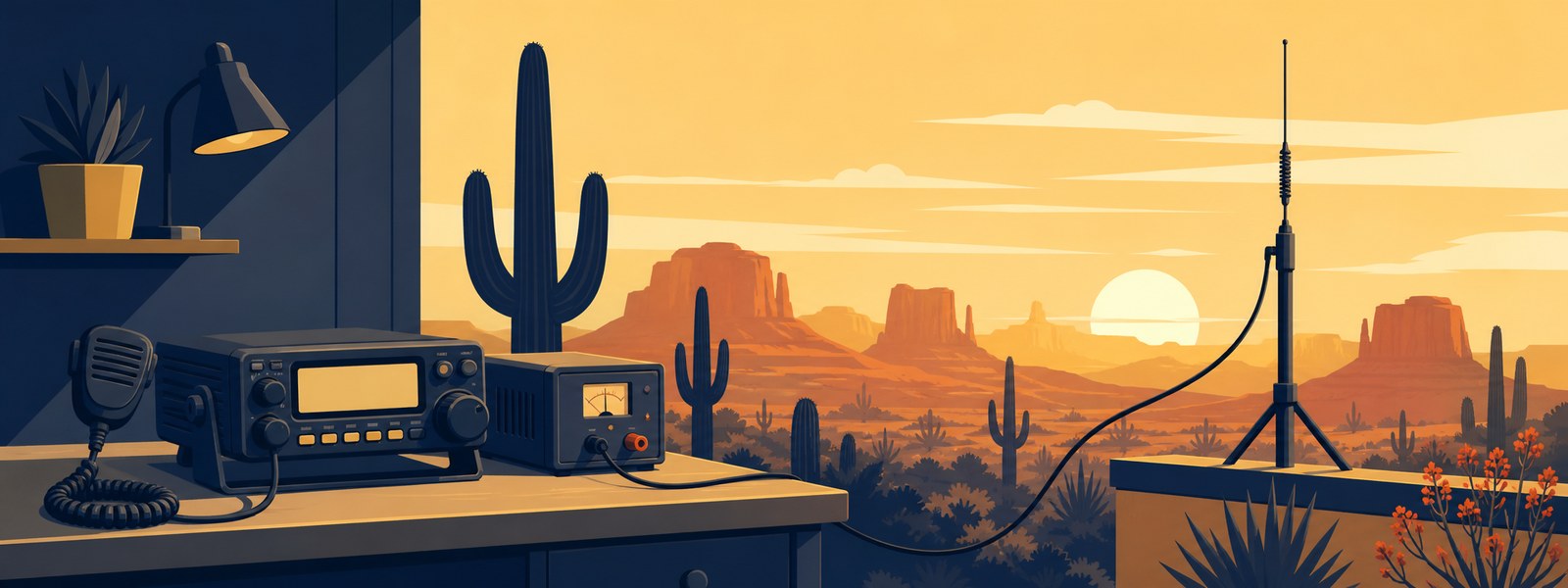
A mobile radio is not just for the car. With a household power supply and an outdoor antenna, the same radio makes an excellent home station for local 2 metre and 70 centimetre conversations — and it is the least expensive honest way to get on the air properly.
This is the first in a series. Each one takes a single question a newer ham actually asks and answers it end to end, with real part numbers and real prices. The material here comes from Gary, WK7B, and it reflects how he actually advises members who are putting a first station together.
Everything below is an example, not a shopping list. The point is to show you what the pieces are, how they connect, and roughly what they cost, so you can walk into a dealer or a hamfest knowing what you are looking at.
A station is five things
Strip away the catalogue and every FM station on the local repeaters is the same five parts:
- The radio — sends and receives.
- DC power — at home, a wall-powered supply. In a vehicle, the manufacturer’s approved DC connection.
- Coax — carries the radio signal between the radio and the antenna.
- The antenna — radiates it.
- Somewhere to mount the antenna — and this is the part people forget when they budget.
Two words get mixed up constantly, so it is worth separating them now. A mast or bracket is what physically holds the antenna up. A ground plane is an electrical part of certain antenna designs. They are different jobs. Some antennas bring their own ground plane; some need you to supply one.
Why a mobile radio at home
A mobile radio is built to be bolted into a vehicle and run from 13.8 volts DC. Nothing about that stops it working on a desk. Give it a household DC supply instead of the car, and an outdoor antenna instead of one on the roof of a truck, and you have a capable home station.
The advantages are real. A mobile puts out considerably more power than a handheld — 50 watts rather than 5 — which matters far more than newcomers expect when you are trying to reach a distant repeater from indoors. The controls are larger. The speaker is better. And if you later decide you do want it in the vehicle, it goes there without buying a second radio.
Two radios worth handling
Both of these are analog FM dual-band radios with two receivers, so you can monitor two frequencies at once. Try the knobs and read the display before you buy — the differences that matter are the ones your hands and eyes notice in the first minute.
| Yaesu FTM-150R | Icom IC-2730A | |
|---|---|---|
| Power (2 m / 70 cm) | 55 W / 50 W | 50 W / 50 W |
| Dual receive | Yes | Yes, with separate controls per receiver |
| Price | $359.95 | $339.95 |
| Included | Microphone and fused DC lead | Mounting accessories sold separately |
| Programming software | ADMS-17 | CS-2730 |
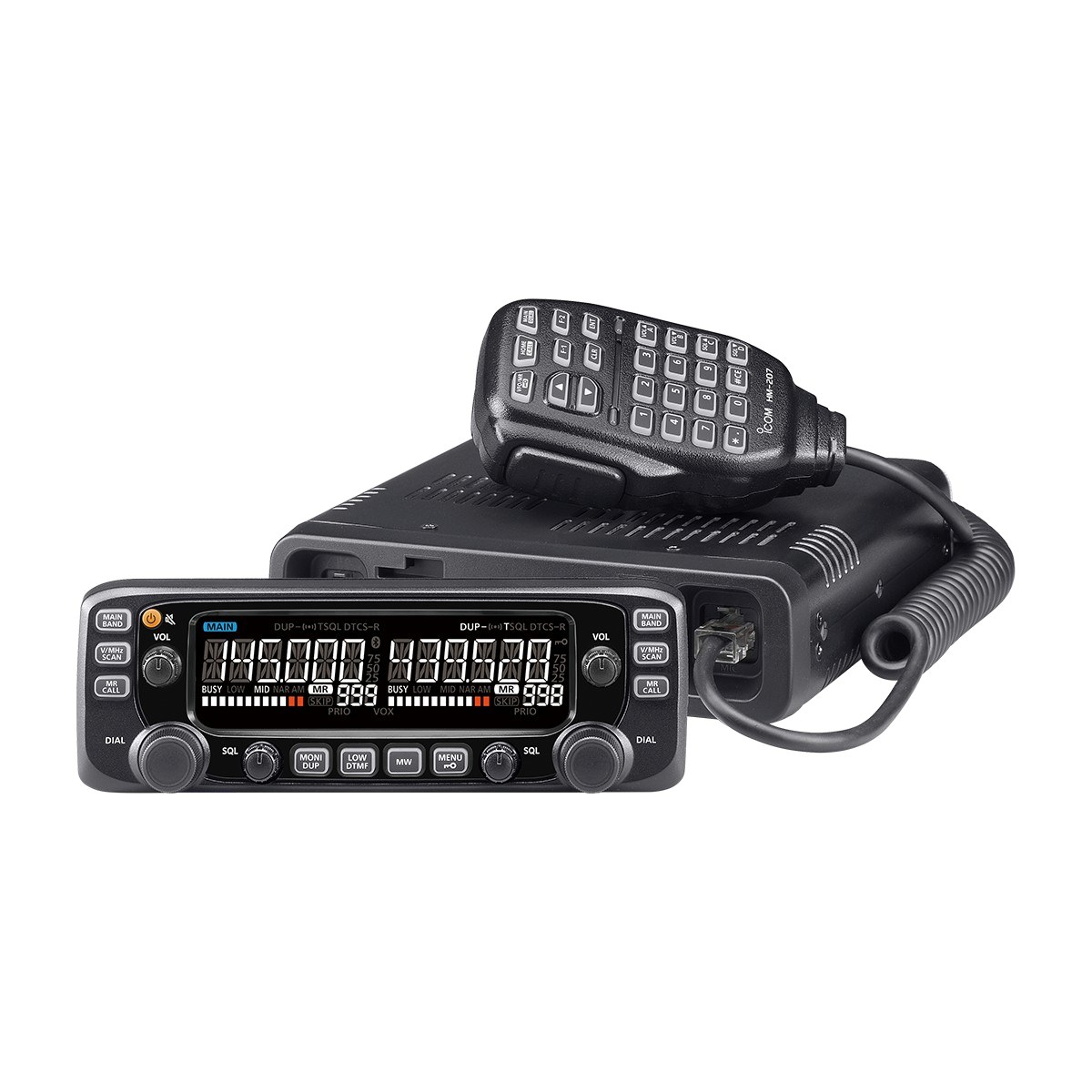
The Icom IC-2730A, one of the two example radios. The control head detaches, and each of its two receivers gets its own volume and squelch knob. Manufacturer photograph.
A few things the spec sheet will not tell you. The FTM-150R price above is for the model without the optional ASP audio-processing board. The Icom gives each of its two receivers its own volume and squelch knob, which some operators much prefer — but Icom sells the mounting hardware separately, so budget for the MBA-4 if you want the control head attached to the radio body, and for other brackets if you want it somewhere else.
While we are here: squelch is the control that keeps the speaker quiet when there is no usable signal. You will use it constantly and nobody ever explains it.
Power
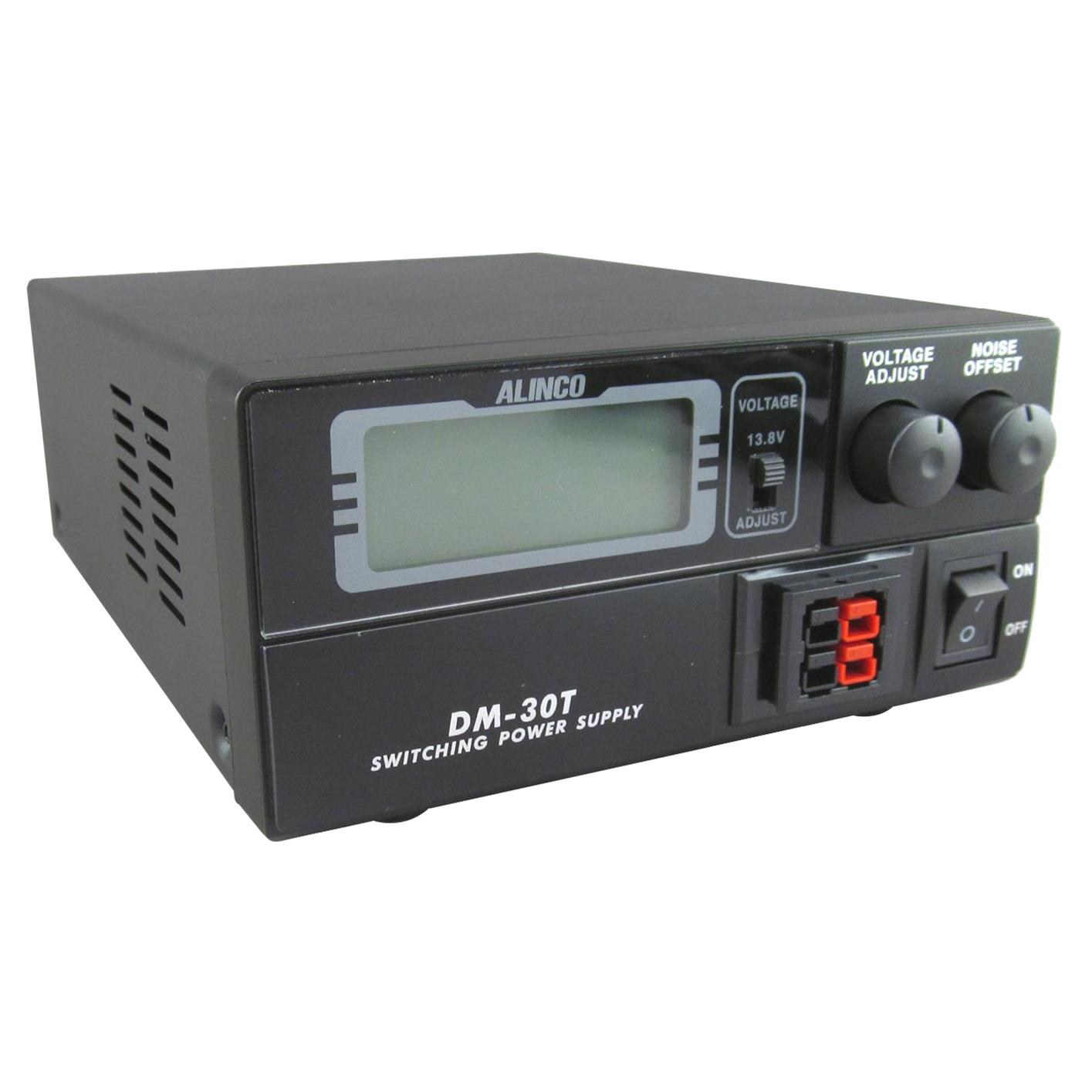
The Alinco DM-30TR. Set the voltage selector to a fixed 13.8 V before you connect anything, and use the high-current posts on the back rather than the Powerpole outlets on the front. Dealer photograph.
A switching supply turns household AC into the DC the radio wants. The Alinco DM-30TR is the example here: 20 amps continuous, 30 amps peak, $134.95. That is comfortably more than a 50 watt radio draws on transmit, which is exactly what you want — a supply working well inside its rating runs cool and quiet.
Four things to get right, in order:
- Select fixed 13.8 volts before you connect the radio. Not after.
- Use the rear high-current binding posts. The Powerpole outlets on the front have a lower current rating and are not the right connection for a 50 watt radio.
- Check polarity. Red positive, black negative, using the radio’s own fused DC lead. Reversing this is one of the few mistakes that destroys a radio instantly.
- Leave ventilation space.
The noise offset knob on the front is not a volume control. It shifts the supply’s switching frequency, so if you ever hear a whine on a particular band, it can move the noise somewhere less annoying.
Coax and connectors
Use 50-ohm coax. RG8X is a reasonable, economical choice for a short run. Every cable loses some of your signal as heat, longer cable loses more, and the loss gets worse as frequency rises — so a length that is perfectly fine on 2 metres may be costing you real signal on 70 centimetres. If your run is long, LMR-400 is the usual step up.
The connector pairing you will meet first is PL-259 and SO-239: the PL-259 is the plug on the end of your cable, the SO-239 is the socket it threads into, on the radio and on the antenna. Trace it once with the cable in your hands and it stops being confusing.
Budget roughly $30 for 50 feet — and treat that as a planning estimate rather than a quote. Buy the length you actually need with the ends you actually need. Do not pinch coax in a door or bend it sharply; both do permanent damage you cannot see.
The antenna, and the one that fits an HOA
The straightforward answer is a purpose-built outdoor base antenna. The Diamond X50A is about 66 inches tall, covers both bands, brings its own radials and presents an SO-239 socket for your coax. It is $99.95, and it still needs a mast or support, which is not included.
But there is a second option that solves a problem a lot of members actually have.
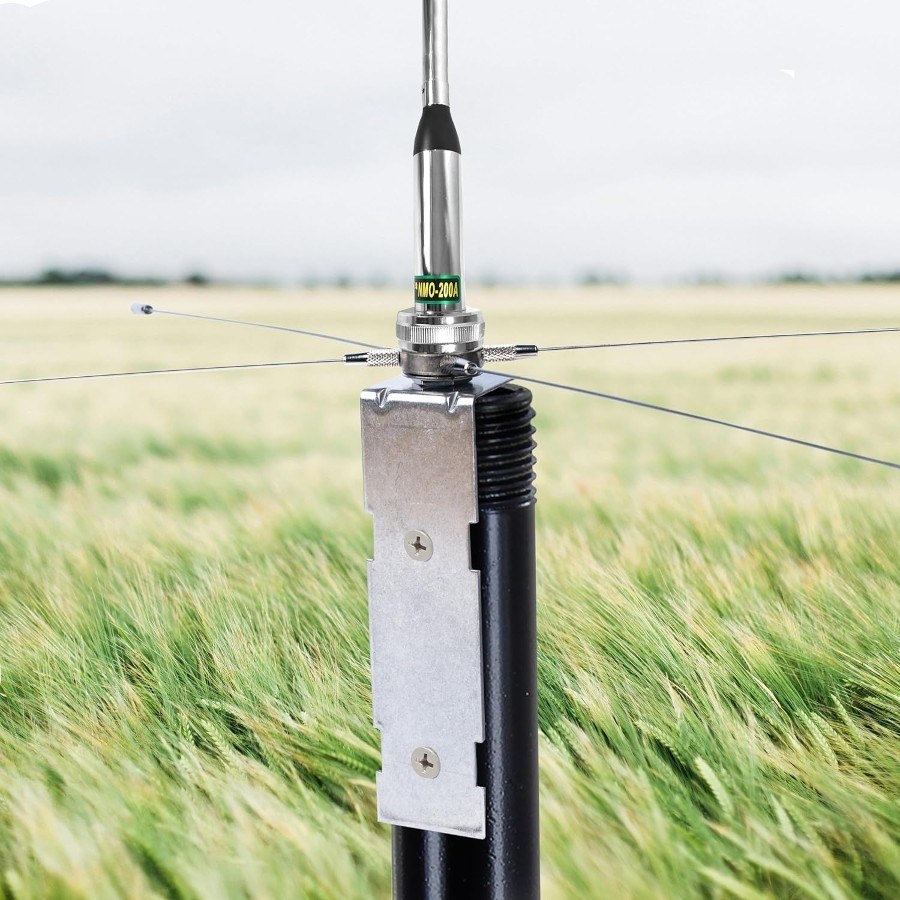
A radial kit turns an ordinary NMO mobile whip into a home antenna — the mounting point plus four radials about 21 inches long. Slimmer and far less conspicuous than a 66-inch base antenna. The whip shown is an example; the antenna, coax and pole are all separate from the kit.
You can use an ordinary NMO mobile whip at home. A radial kit such as the Nagoya GPK-01 gives you the NMO mounting point and four radials about 21 inches long — roughly 42 inches across opposing radials. Attach it to a suitable pole, connect your PL-259 coax to its SO-239 socket, and a mobile antenna becomes a home antenna.
Why this matters: a slender mobile whip is considerably less conspicuous than a 66-inch base antenna. If you are working around an HOA, or simply around a household that would rather not look at it, this is the option worth knowing about. The antenna, the coax and the pole are all separate from the kit. Check your HOA requirements and your clearances before you commit.
What it costs
The shared equipment is the same whichever radio you choose:
| Item | Price |
|---|---|
| Alinco DM-30TR power supply | $134.95 |
| Diamond X50A base antenna | $99.95 |
| RG8X coax, 50 ft (estimate) | $30.00 |
| Shared subtotal | $264.90 |
Add one radio, and you get:
| With this radio | Core equipment total |
|---|---|
| Yaesu FTM-150R | $624.85 |
| Icom IC-2730A | $604.85 |
The $20 difference is the radio and nothing else.
Read that as a core equipment subtotal, not a finished installation. Tax, shipping, a mast or support, weatherproofing, bonding or lightning protection, extra brackets and programming accessories are all additional, and the antenna location and cable route are what really drive the final number. Dealer prices were checked on 14 September 2026; the coax figure is an estimate. Prices move.
A vehicle installation is a different budget entirely: mobile antenna, mount and cable, plus approved DC wiring. No AC supply, no X50A. Some mobile mounts include the coax already.
Programming: start with one memory
Programming sounds like a project. It is not. It means saving the settings for one channel so you can come back to it by name, and you should start with exactly one — a current club repeater.
Get that entry from the club or an Elmer rather than guessing. A guessed frequency or tone produces a radio that appears to work and never opens the repeater.
What you are entering:
- The receive frequency.
- The transmit offset — direction (+ or −) and amount.
- The required access tone (CTCSS).
- Mode (FM), power, and a memory name you will recognise.
Then save it, and recall it to check that it saved.
Buttons or software
One memory is quicker from the front panel. A dozen is quicker from a computer. If you go the software route, use software and a cable that specifically support your radio — Yaesu lists ADMS-17 for the FTM-150R, Icom lists CS-2730 for the IC-2730A, with the OPC-478UC family of cables.
The sequence that keeps you out of trouble is always the same: read from the radio first, save that as a backup, edit a few memories, write them back, then recall each one on the radio to confirm. Check operating-system support and cable or driver requirements before buying anything — this is the step that most often goes wrong.
Your first contact
Station checked, memory programmed. Now the part everyone is actually nervous about.
Listen first. Wait for a clear pause. Then give your callsign and ask for a radio check:
“This is [your callsign]. Could someone give me a radio check?”
Release the push-to-talk button so you can hear the reply — this sounds obvious and is the single most common beginner mistake. Speak clearly and leave pauses for other operators. Use only the frequencies and modes your licence privileges cover.
If nobody answers, do not assume the radio is broken. Hearing a repeater does not prove it can hear you. Work through the list: offset, tone, which side is selected for transmit, power, and every antenna connection. Then ask an Elmer to listen for you on a repeater you know is working.
The printable guide
A four-page version of all of this, sized for US Letter and meant to live next to the radio. It includes the budget, a blank programming worksheet for your first repeater memory, and the quick fixes above.
You do not have to work it out alone
That is most of the point of a club. Bring your full shopping list to an experienced member before you order — the antenna and cable questions in particular are much cheaper to get right the first time. Try someone else’s radio controls before choosing. Used gear can save real money if somebody who knows what they are looking at checks its condition and accessories first.
And when the station is together and you want someone on the other end of that first radio check, the fastest way to find one is our Discord: Discord for TBARC explains joining it, keeping the notifications sane, and asking for help.
Material by Gary, WK7B. Product photographs are manufacturer and dealer images, except where noted. Prices checked 14 September 2026 and subject to change; the coax figure is a planning estimate.
Thunderbird Amateur Radio Club · Phoenix, Arizona · w7tbc.org